
I have used Dynamic DNS for many years and it has worked well for ensuring that my domain name or home network is accessible via the interweb, when my ISP chooses to update my IP address. I wanted to try and emulate the same behaviour within Kubernetes.

I want to use this post to describe how to deploy a website on your kubernetes cluster. Once more even though we could do this via the Dashboard I think it is better to learn Kubernetes via the CLI and it is also good practice to understand the YAML spec that is used extensively to configure Kubernetes deployments.
I periodically like to refresh the look and feel of my blog and I been on a journey over the years from initially using Wordpress to embracing the simplicity and speed of static websites. As a python fan I was initial drawn to Pelican but in my most recent search for an updated theme, I have started to realise even though I still like idea of Pelican I am no longer as passionate about it as I once was. We have a new kid on the block.
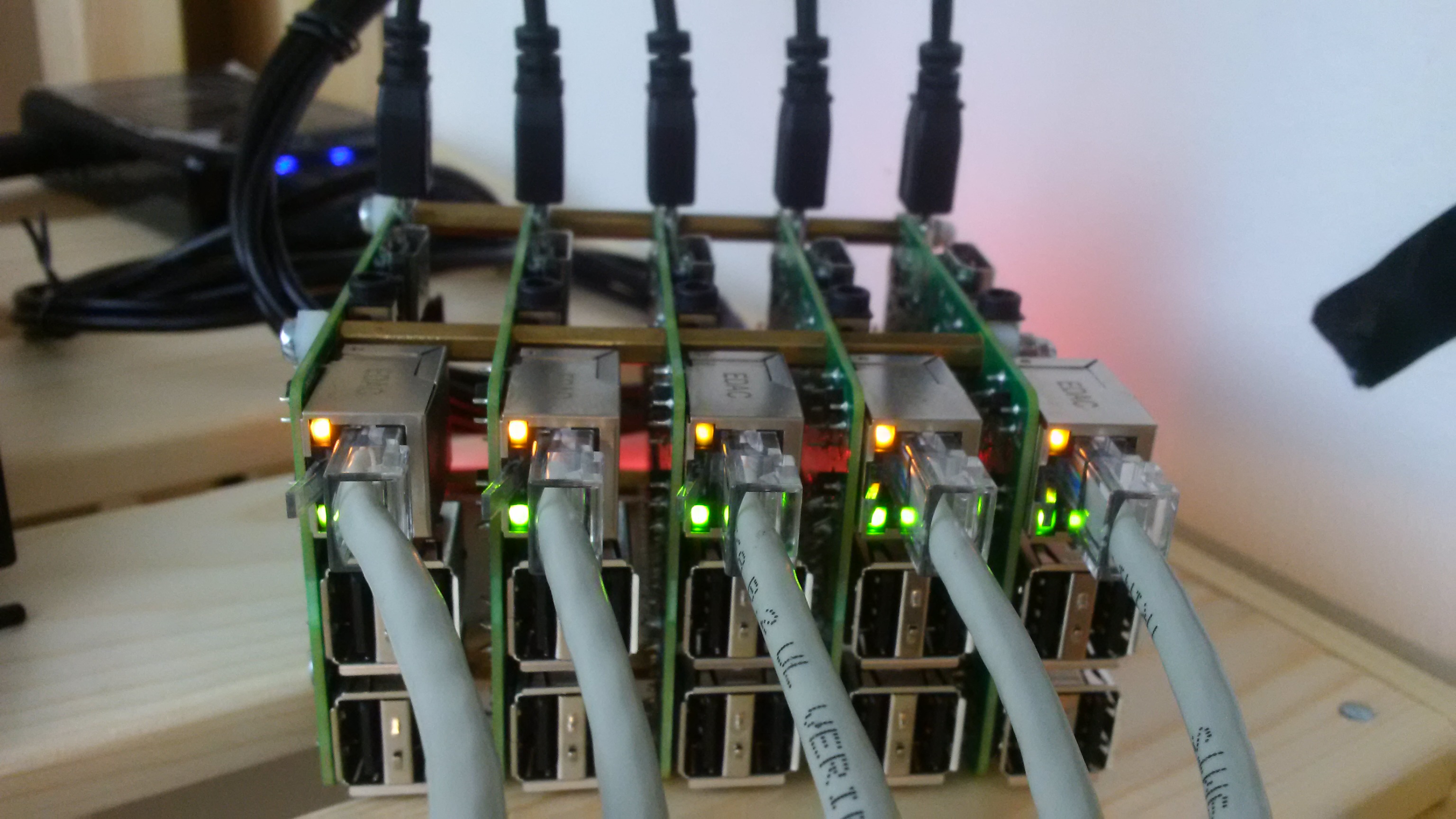
After many different uses for my collection of older Model B Raspberry Pi’s I have settled on their best use being to host small static internal and public websites. After several iterations I have also determined that the one thing that I definitely do want, is to minimise the management of the cluster as much as possible. For this reason I am going also use this cluster to experiment with docker and kubernetes. I want to use this as a learning experience with Kubernetes. I generally…